Upload photos, videos, documents and other files online, search through them, view and download them from any device.
Dropbox is certainly one of the most widely used cloud-based storage services, and the application that I am reviewing today, which has the same name, allows you to synchronize contents between your computer and your Dropbox account. Therefore, most of its advantages are inherited from this service itself. These include a generous amount of storage space, high transfer speed and strong security.
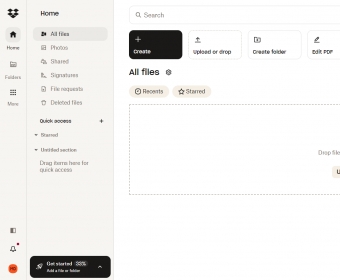
The application is free to download and install, and to use it, you first need to create a Dropbox account. Fortunately, you can use your Google credentials as well. Using the tool is extremely easy as it creates a Dropbox local folder, which you can use just as a standard folder from the file manager. Meanwhile, the program runs from the System Tray making sure that every file you drop there is automatically uploaded to your online space.
By clicking on the program’s icon, you can access its settings. This way, you can set bandwidth limits, or not limits at all. You can also configure a proxy should it be necessary. Likewise, you can tell the program to automatically upload photos and screenshots without your intervention.
Dropbox is categorized as very secure. It uses a strong system of encryption methods and passwords to safeguard the integrity of your data. Unfortunately, no matter how secure an online storage service can be, storing information online always entails some risks, which include hacking and virus attacks. And even worse, there are cases in which the company you trust your data to has shared them with a third.
The only real limitation of this tool comes from its specificity. It has been designed to work only with Dropbox, which means that it does not support other cloud services, something you can do with other more general tools.
In general, the tool and the service are very useful when you need to back up your data to keep it safe from any type of losses. In addition, they are essential when you usually access the same contents from different locations or devices. Moreover, it supports synchronizing with Gmail, so that large attachment become automatically uploaded to Dropbox. Finally, they can support collaboration among various people, as you can create shared folders and work together with other members of your team. You should also know that you can purchase extra storage space in case you need it.








Comments (14)
-John